
Getting back to your games should take seconds, and that is exactly what the Greatwin Casino login is built for. One quick sign-in reopens your balance, your favourite slots, active promotions and any pending withdrawals. The whole process runs on secure account access, so your personal information stays protected every time you enter. Below we walk through logging in on desktop and mobile, fixing the usual access hiccups and keeping your profile safe. It is worth treating this account the way you would your online banking — a little care with your details goes a long way, and the rest of this guide shows you how.
How to Log In to Your Greatwin Account
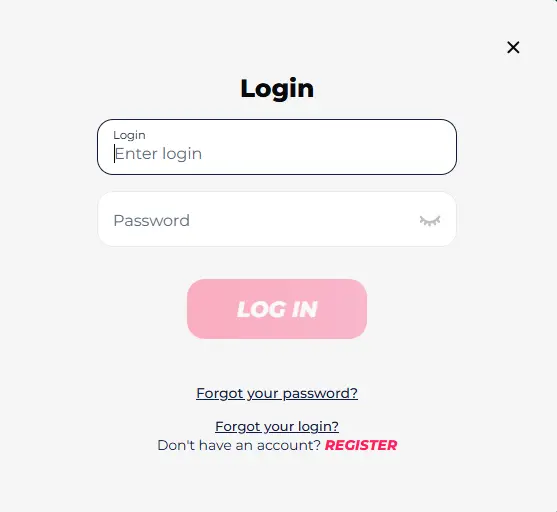
Coming back is far quicker than signing up the first time. Once your profile exists, a simple account login drops you straight back into the action:
- Go to the official Greatwin Casino website.
- Click the red “Log In” button at the top of the homepage.
- Enter your email address or username.
- Enter your unique password.
- Click “Log In” to access your account.
On the desktop you will find the login button in the top-right corner of the homepage. Tick the “remember me” box on your own device and the site keeps you signed in, so the next time you want to sign in it is basically one click.
Mobile Access on Smartphones and Tablets
There is no separate app to install, which keeps mobile access refreshingly simple. You sign in through the browser using the same username and password as on desktop, so nothing new to remember:
- Open the Greatwin mobile site.
- Click on the login screen.
- Enter your credentials.
- Tap “Log in” for access.
The Greatwin mobile site fits neatly across phones and tablets, so signing in on the move feels natural on any screen. For even faster entry, add the page to your home screen — one tap then opens it like an app, and you are back in your account wherever you happen to be.

What to Do After You Sign In
That first minute after signing in is worth using well before you place a single bet. Take a quick look around your player dashboard on Greatwin and get everything in order:
- Check your balance and deposit funds if you plan to play.
- Claim any active bonuses waiting in your account.
- Head into the casino or sports section you came for.
- Finish verification if this is your first time in.
- Update any personal details that have changed.
A short look around first saves surprises later — you will know exactly what is in your account and which offers are live before you stake anything.

How to Solve Greatwin Login Problems
Signing in usually goes without a hitch, but now and then something gets in the way. Most Greatwin login problems clear up on their own in about a minute, once you know where to look. Below we break down the three that come up most often — a locked account, technical glitches and geo restrictions. For anything these fixes don’t cover, customer support is a message away and can sort out the rest.
Account Locked
Seeing your account locked can feel alarming, but it is a safeguard rather than a punishment. It usually happens after several wrong password attempts, while your profile is paused for verification, or when the system spots activity that looks unusual. The fix is straightforward: reach out to support, complete any checks they ask for, and confirm your identity so they can lift the hold. A suspended account is almost always reopened once verification is done, so the quickest route back in is simply cooperating with the request rather than trying repeated logins.
Technical Issues
Often the account is fine and the trouble sits with the browser or your connection. Run through this quick checklist before assuming anything worse:
- Clear cache and cookies, then reload the login page.
- Update your browser to the latest version.
- Check that your internet connection is stable.
- Try a different device to rule out a local fault.
- Turn off any VPN that might be interfering.
If none of these technical issues turn out to be the cause, drop support a short message describing what you see and they will take it from there.
Geo Restrictions
Sometimes the block has nothing to do with your details and everything to do with location. Access is limited in restricted countries, and the same geo restrictions can catch you out while travelling abroad, even with a valid account. It may be tempting to reach for a VPN, but masking your region breaks the rules and can get your profile closed for good. The honest advice is to check whether online gambling is legal where you are first — players in excluded jurisdictions cannot use the site, and trying to slip past that only puts your account at risk.
What to Do if You’ve Forgotten Your Login Credentials
Losing access to your Greatwin account is nothing to worry about — a couple of minutes and an email is all it takes to get back in. The one thing you will need is access to the inbox tied to your forgotten login credentials, since that is where every recovery link lands. Keep in mind that the username and the password use two separate forms, so pick the one that matches what you have lost. Both are covered step by step below.
How to Reset Your Password
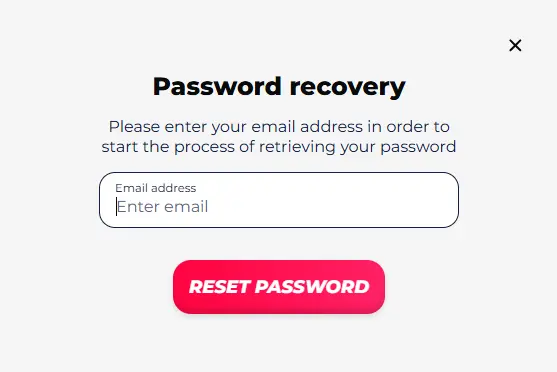
Forgotten your password? Here is how to reset your password in under a minute:
- Click the “Forgot password” link on the login page.
- Enter the email address linked to your account.
- Open the reset link sent to your inbox.
- Set a new password and confirm it to save.
Make the replacement something fresh rather than an old favourite, and you are ready to sign straight back in.
Forgotten Login Recovery
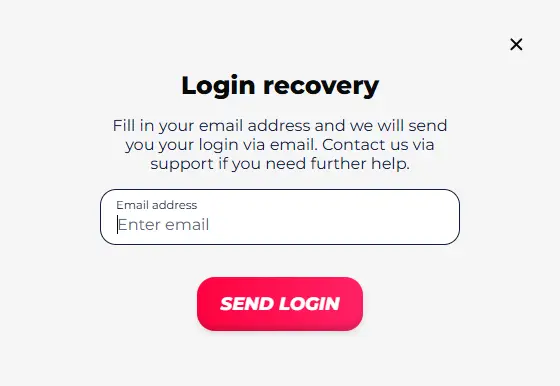
Losing your username is even easier to fix than losing your password, and it uses its own separate form. To recover login details:
- Enter the email address tied to your account in the login recovery form.
- Check your inbox for the recovery email carrying your username.
- Message support if it doesn’t arrive or something looks off.
That is all it takes to retrieve username access and head back to the login page ready to sign in.
How to Register at Greatwin Casino
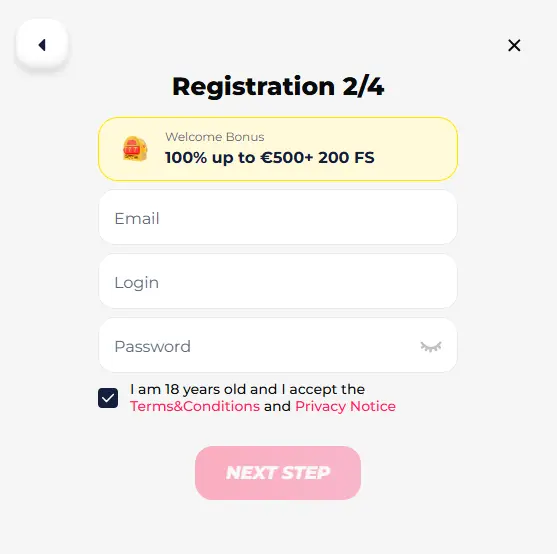
No account means no way in, so if you have landed here without one, Greatwin Casino registration is the first stop — and it takes no more than three minutes. You sign up on the official site and move through a short run of screens: pick a welcome bonus, set your login details, add your personal information and contact data, then confirm to finish. That is the whole picture in brief. For a full walkthrough of every field and step, see our detailed guide on how to create an account, then come straight back here to log in.
Keeping Your Account Secure
Behind every account sits real money, which makes Greatwin account security worth a few minutes of attention. Protection works from two directions at once: the habits you keep as a player and the safeguards the platform runs in the background. Get both right and a secure login becomes something you rarely have to think about. The two sections below cover each side — what you can do to protect your account, and what Greatwin handles for you.
Strong Passwords and Credential Safety
Good security starts with a few simple habits that quietly shut out most attacks:
- Build strong passwords from a mix of letters, numbers and symbols.
- Use a different password here than you use anywhere else.
- Never share your login details — you are responsible for every action taken on your account.
- Log out whenever you sign in on a shared or public device.
Treat this kind of credential safety as routine rather than a chore. Most cases of unauthorized access trace back to a reused or shared password, so getting these basics right removes the weakest link before anyone can reach it.
How Greatwin Protects Your Data
The platform carries its share of the load too, and data protection at Greatwin runs deeper than a password box. Every account goes through KYC and security checks designed to catch fraud before it reaches your balance, and any personal details shared with trusted third parties are handled under the terms set out in the privacy notice. If something about an account looks off, the team can add extra layers — a quick phone call or face verification — to confirm the real owner is the one signing in. It is quiet, behind-the-scenes work, but it is what keeps your money and information where they belong.